On November 4, Kernel published a public notice of a security incident. Incidents happen to every infrastructure company, and we're not here to pile on. Kernel disclosed quickly and in detail, and that's worth respecting.
But the notice is worth reading closely, because it describes something every team running agents on cloud browsers should care about. We run browser infrastructure too, so we read it the way a security team would: step by step, asking where each link in the chain would have broken for us.
What Kernel says happened
From their notice:
- Oct 24: an unauthorized party used a compromised Kernel API key to read data across internal profiles.
- Oct 27: the same party used that key to reach a staff login at Kernel's logging provider, and downloaded data that included "a small number of Kernel API keys and app deployments' third-party secrets."
- Nov 3: the party used a compromised credential for Kernel's hosting provider account to access four GPU servers. Three of them ran Kernel browser sessions.
- Nov 2 to Nov 4: Kernel detected the activity (after a customer escalation, per their timeline), contained it, rotated credentials and notified affected organizations. Kernel says 0.28% of its customers were impacted and that the evidence points to a financially motivated cryptomining campaign.
Why this can matter more than "a mining incident"
Kernel's own notice is careful: it does not say whether browser contents were extracted. We want to be equally careful. What follows is what the access made possible, not what we know happened.
A cloud browser isn't like most infrastructure. The sessions on those servers are often logged in: to a customer's email, CRM, banking portal or internal tools. Authenticated sessions live in cookies and profile storage. If usable session cookies are taken, an attacker can act as that user without a password and without an MFA prompt, because the session has already passed both.
So the same chain that ended in cryptominers could, with a different attacker, end in:
- Third-party secrets from logs, which can mean reading or changing data in other services, spending on paid APIs, or reaching other infrastructure. These have to be revoked at the service that issued them.
- API keys from logs, which can mean control over browsers and profiles. Keys without restrictive policies carry full permissions in their organization.
- Access to servers running customer browsers, which can mean exposure of cookies, page contents and authenticated sessions.
The most serious scenario is an agent logged into a customer's sensitive system. That is a plausible consequence of this kind of access, not a confirmed outcome here. And the lesson doesn't depend on who the attacker was this time: the blast radius of browser infrastructure is the accounts inside the browsers.
The chain, and where it breaks at Anchor
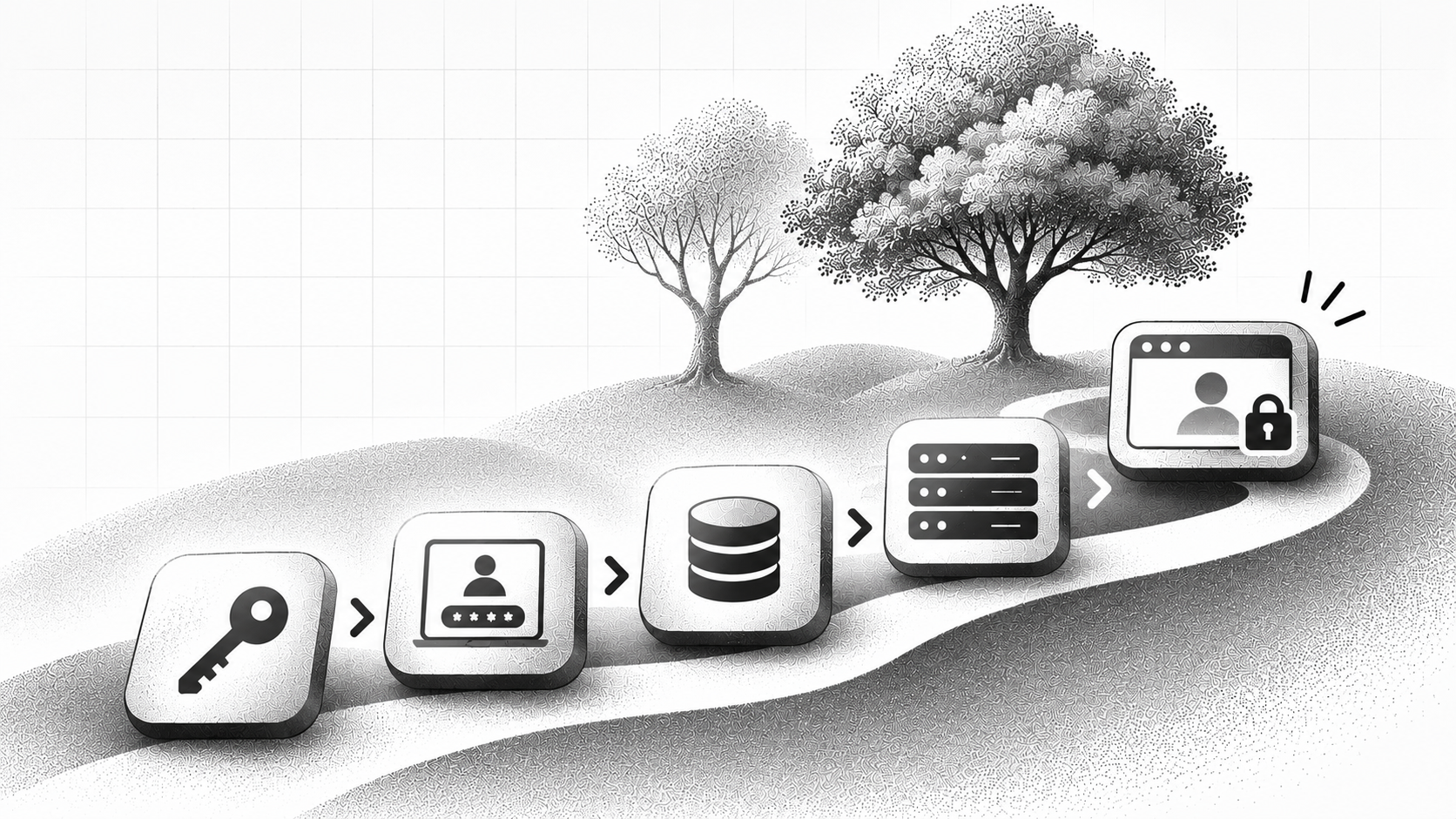
Every serious breach is a chain. Break any link and the incident stays small. Here's how we handle each one.
Link 1: a leaked API key
Anchor API keys are scoped to a single project. A leaked key can't read other projects or internal data, so it can't be used as a stepping stone. A key is a door to one room, not the building.
Link 2: a staff login at a logging vendor
Every staff login to our logging vendor, AWS and our other cloud providers goes through SSO with MFA. A stolen password or API key on its own doesn't get anyone in.
Link 3: secrets in logs
API keys, headers, cookies and vault values are redacted or never logged. Someone with full log access still wouldn't find credentials there. Vault secrets are stored in AWS Parameter Store with an extra layer of encryption, with the keys held in separate storage that the same permissions can't reach. Nothing sits in plain text.
Link 4: a compromised hosting credential
We have no long-lived static cloud keys. Access is short-lived and role-based, so there's no standing credential to steal and reuse later.
Link 5: the session hosts themselves
Each session is isolated. Compromising one exposes that one session, never other customers' sessions or their stored credentials.
And if something still slips: detection
Anomaly alerting watches for unusual activity, so we don't depend on a customer report to find out something is wrong.
The point isn't that any single control is clever. It's that the chain Kernel describes needs every link to be easy, and we've made each one hard, independently. A leaked key shouldn't reach a logging vendor. A logging vendor shouldn't hold secrets. A hosting credential shouldn't be permanent. A compromised host shouldn't touch another customer.
What to ask any browser infrastructure vendor (including us)
If your agents log into real accounts, ask:
- Are API keys scoped per project, and can I restrict them by network?
- Is staff access to logs and cloud consoles behind SSO and MFA?
- What gets logged? Can you show that cookies, headers and secrets are redacted?
- Are there long-lived cloud credentials anywhere in your stack?
- If one session host is compromised, what else is exposed?
- How would you find out before I told you?
We're happy to answer these in writing, and we'd rather you ask than assume. If you want our security details, visit the Anchor Trust Portal to see our compliance posture. If you’d like to start a security review, reach out to our team here.
If you're a Kernel customer
Rotate the keys and third-party secrets that touched Kernel logs or sessions, and follow Kernel's remediation guidance for anything it flagged to you. If you're evaluating alternatives, we're glad to talk, and we'll show our architecture instead of just describing it.
Browser infrastructure is only as trustworthy as the weakest link in its chain. We built ours so there isn't an easy one.